FC Mobile Beta tester toolkit
Check access first, install the separate app, then keep live codes on the live account.
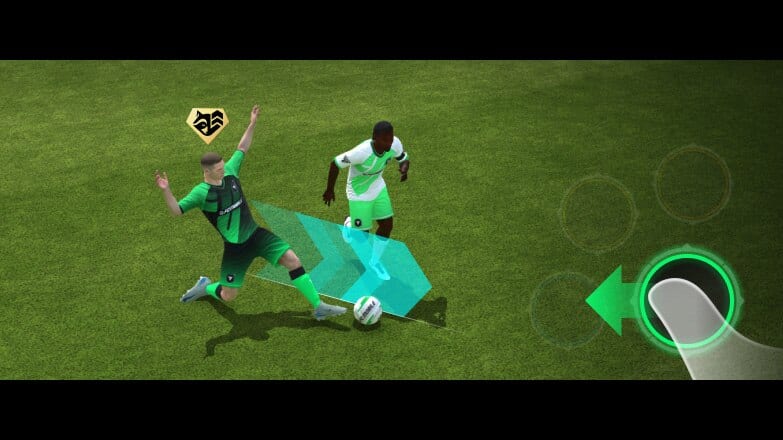
This Tools Hub is the bench for FC Mobile Beta testers who want a worksheet, not another essay. The Limited Beta is a standalone app with a short UTC window, Guest login, and no carryover. Most failed sessions start the same way: someone opens the live FC Mobile icon, pastes a live redeem code into the wrong place, or sideloads a file because Play Store hid the listing. The tools here exist to stop that waste.
The headline tool is the Beta Access Checker. It is a country list, a Play Store search term, a TestFlight full-message decoder, and a decision tree for VPN and APK temptation. Use it before you change DNS, before you create a second Google account, and before you tap a “direct APK” button in a comment section.
The rest of the wiki is also a toolkit if you open the right page for the right job. How to download is the install script once the checker says you have a legal path. Getting started is the first Guest session. Codes is live-game redeem only. Updates holds the calendar and the feature brief. This hub tells you which tool to pick so you do not mash them together.
What the access checker actually does
The access checker answers four questions in order:
- Are you on Android 7.0+ looking at Play Store in Singapore, Malaysia, Canada, India, Romania, Argentina, Colombia, or Indonesia?
- Are you on iOS waiting for an official TestFlight invite from EA’s X, Instagram, or Facebook accounts?
- Did the store listing appear, but the first launch still bounce you for region?
- Are you about to sideload a random APK, and should you stop?
It will not magically add your country to EA’s list. It will not generate TestFlight slots. It will not link a Guest profile to your live EA account, because linking is disabled in this test. If the checker says no, the honest outcome is to keep playing the live client and read What’s New as a spectator brief.
If the checker says yes, do not improvise. Open how to download, search EA SPORTS FC Mobile Limited Beta, and keep the live icon untouched. Two icons on one phone is normal. One icon that you keep “updating” is how testers miss the entire window.
How to use the wiki as a tester kit
Think in jobs, not in homepage tiles.
- Can I install? Beta Access Checker then how to download.
- What are the rules? Limited Beta notes — Guest only, no linking, no carryover, purchases off, 25 August–13 September 2026 UTC.
- What do I press in a match? Game Plans, Gauntlet Mode, PlayStyles, controls.
- How do I spend the Guest hour? Getting started.
- Where do live codes go? Codes and how to redeem. AUFGEHTS, NUMEROUNO, and CLEANSLATE are live-game tries and may be dead by 2 September 2026. They never fill a Guest inbox.
- Where is official truth? Links Hub.
Print that list in your head. The failure mode is using Codes as an install guide, or using PlayStyles as a region check. Each page is a tool with a single job.
When you test, keep a plain text file beside the phone. The checker can tell you that you got in. It cannot remember that Driven Lob Through overhit on 70 ping, or that a Gauntlet House Rule made your Ultra Attacking plan suicidal. Pair the toolkit with the Updates Hub so the note you write has a date and a system name.
A kit you should not build
Do not build a “beta account manager.” There is nothing to manage. Guest cannot link. Progress does not carry. Purchases are disabled. Rank-up experiments in this build are toys; if you want real investment talk, use squad building and rank up as theory, then apply it on the live client later.
Do not build a VPN ritual and call it a tool. A VPN may change the storefront you see. Testers still report a region check on first launch. If you are not in a listed country, the checker will say so. Circumventing store geography can also violate store and EA rules. This hub documents the check; it does not sell a bypass.
Do not collect random APKs as a backup tool. Unsigned copies of com.ea.gp.fifamobilebeta from file hosts are a malware path. EA already ships the test on Play Store and TestFlight. If those stores hide the app, the usual reasons are country, full TestFlight, or the window, not a missing mirror. The access page spells out when not to sideload.
Do not mix redeem bookmarks. Pin EA’s redeem site next to Codes for the live account. Pin Play Store or TestFlight next to the checker for the beta. Two bookmarks, two accounts, two jobs.
Suggested session flow
Open the access checker and walk the tree until you get a yes, a wait, or a stop. If yes, install with how to download. Sign in as Guest only. Run the getting started hour: four Game Plans, one Gauntlet round, a handful of the new PlayStyles. File one note. If you still have live-game errands, switch apps and redeem on the live account using Codes. Never do those errands in Guest.
That flow is the Tools Hub in practice. The checker keeps you honest about geography. The download guide keeps you on the real listing. The codes pages keep live value off the sandbox. Everything else on the wiki is knowledge; these pages are the wrenches. If a friend asks “how do I get the beta,” send the checker, not a zip file. If they ask “how do I claim NUMEROUNO,” send Codes, not TestFlight. If they ask both in one message, send this hub so they can see the jobs are different.
Keep the toolkit small on purpose. One access worksheet. One install guide. One live redeem desk. That is enough to spend the window testing football instead of fighting storefronts. When 13 September 2026 UTC arrives, the wrenches go back in the drawer: uninstall the beta icon if you do not need logs, and take the notes you kept onto the live client where a linked club actually survives.
Frequently Asked Questions
Quick answers testers actually search for.
What is the main tool on this hub?
The Beta Access Checker. Use it before the download guide so you do not fight Play Store or TestFlight blind.
Can the checker link my live FC Mobile account to the beta?
No. Guest login only, no linking, no carryover. Limited Beta notes list those rules; the checker only tests whether you can install.
Where do promo codes fit in the toolkit?
On the live game. Open Codes and how to redeem. They do not apply to a Guest beta profile.
I am not in a listed Android country. Which tool do I use?
Still the access checker. It explains first-launch region checks and why random APKs are a bad backup. iOS testers wait on official TestFlight posts instead.
What should I open after I get in?
Getting started for the first Guest hour, then What's New so you actually test Game Plans, Gauntlet, and PlayStyles.